> ## Documentation Index
> Fetch the complete documentation index at: https://docs.actionmodel.com/llms.txt
> Use this file to discover all available pages before exploring further.
# Agent Tool Usage
> Empower your AI agents with an extensive toolkit. From web scraping to API integration, file manipulation to AI vision, give your digital workforce the tools they need to automate anything.
## Your Agents' Swiss Army Knife
Agent Tool Usage transforms your AI workforce from simple clickers into **powerful digital professionals** equipped with every tool imaginable. Like giving a craftsman the perfect toolbox, these tools enable your agents to handle any task across any platform.
**The Capability Revolution**: While competitors limit you to pre-built integrations, Action Model agents can use ANY tool—from basic file operations to advanced AI capabilities—making them infinitely more versatile.
## Core Tool Categories
Navigate, scrape, interact with any website without APIs
Read, write, process files in any format
Send emails, messages, notifications across platforms
Transform, analyze, and manipulate data
Vision, language processing, decision making
Connect with APIs, databases, and enterprise systems
 ## Available Tools Library
### The Complete Toolkit for Digital Work
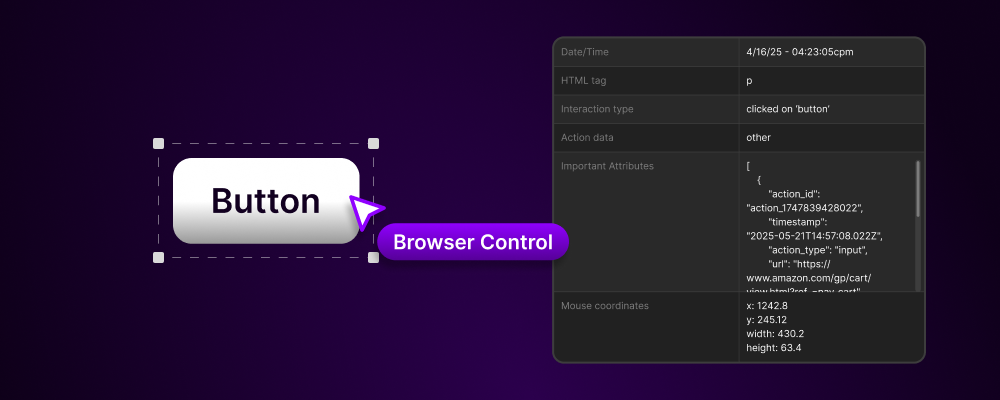
## Browser Control Tools
**Navigation & Interaction:**
* **Click**: Click any element on page (buttons, links, checkboxes)
* **Type**: Enter text into any field with human-like typing
* **Scroll**: Navigate pages smoothly, find hidden elements
* **Hover**: Trigger hover states and dropdown menus
* **Drag & Drop**: Move elements, upload files, reorder items
* **Right Click**: Access context menus
* **Keyboard Shortcuts**: Use any key combination
**Data Extraction:**
* **Text Scraping**: Extract visible text from any element
* **Table Extraction**: Convert HTML tables to structured data
* **Image Capture**: Screenshot specific elements or full page
* **Link Harvesting**: Collect all URLs from a page
* **Form Reading**: Identify and map form fields
* **Attribute Extraction**: Get any HTML attribute value
**Advanced Browser Features:**
* **Multi-tab Management**: Work across multiple tabs simultaneously
* **iframe Handling**: Interact with embedded content
* **Shadow DOM Access**: Reach into complex web components
* **Dynamic Wait**: Smart waiting for elements to appear
* **JavaScript Execution**: Run custom scripts when needed
* **Cookie Management**: Read, write, delete cookies
* **Local Storage Access**: Interact with browser storage
## Document & File Tools
**File Operations:**
* **Read Files**: Open any file format (PDF, Excel, Word, CSV, JSON)
* **Write Files**: Create new files or append to existing
* **Copy/Move**: Organize files across directories
* **Rename**: Batch rename with patterns
* **Delete**: Remove files with safety checks
* **Compress/Extract**: Handle ZIP, RAR, 7z archives
**Document Processing:**
* **PDF Tools**:
* Extract text and images
* Merge/split PDFs
* Fill PDF forms
* Add watermarks
* Convert to other formats
* **Excel/Sheets Tools**:
* Read/write cells
* Create formulas
* Generate charts
* Pivot tables
* Conditional formatting
* Macro execution
* **Word/Docs Tools**:
* Create documents
* Format text
* Insert images/tables
* Track changes
* Mail merge
**Data Formats:**
* Parse and generate JSON
* Process CSV files
* Handle XML documents
* Work with YAML configs
* Read log files
* Process markdown
## Messaging & Notification Tools
**Email Tools:**
* **Send Emails**: Compose and send via any provider
* **Read Inbox**: Process incoming messages
* **Attachments**: Add/extract file attachments
* **Templates**: Use HTML email templates
* **Scheduling**: Send at specific times
* **Tracking**: Monitor open/click rates
**Instant Messaging:**
* **Slack Integration**:
* Send messages to channels
* Direct messages
* File sharing
* Thread responses
* Emoji reactions
* **Teams Integration**:
* Channel messages
* Meeting scheduling
* File collaboration
* Status updates
* **Discord/Telegram**:
* Bot commands
* Group management
* Media sharing
* Automated responses
**SMS & WhatsApp:**
* Send SMS via Twilio
* WhatsApp Business API
* Bulk messaging
* Media messages
* Status tracking
**Social Media:**
* Post to LinkedIn/Twitter/Facebook
* Schedule content
* Monitor mentions
* Engage with comments
* Track analytics
## Data Processing & Analysis
**Data Transformation:**
* **Cleaning**: Remove duplicates, fix formatting
* **Validation**: Check data quality and completeness
* **Normalization**: Standardize formats and values
* **Aggregation**: Sum, average, count, group
* **Filtering**: Apply complex conditions
* **Sorting**: Multi-level sorting options
**Text Processing:**
* **Parsing**: Extract structured data from text
* **Regular Expressions**: Pattern matching and extraction
* **String Manipulation**: Split, join, replace, format
* **Encoding/Decoding**: Handle different character sets
* **Translation**: Multi-language support
* **Sentiment Analysis**: Understand text tone
**Numerical Operations:**
* Mathematical calculations
* Statistical analysis
* Financial computations
* Date/time arithmetic
* Unit conversions
* Random generation
**Data Connections:**
* SQL database queries
* NoSQL operations
* API data fetching
* Webhook handling
* Real-time streams
* Batch processing
## Artificial Intelligence Capabilities
**Computer Vision:**
* **OCR (Optical Character Recognition)**:
* Extract text from images
* Read scanned documents
* Process screenshots
* Handwriting recognition
* **Image Analysis**:
* Object detection
* Face recognition
* Color extraction
* Image comparison
* QR/barcode reading
* **Visual Understanding**:
* Interpret charts/graphs
* Understand UI layouts
* Identify form fields
* Detect changes
**Natural Language Processing:**
* **Text Generation**: Create human-like content
* **Summarization**: Condense long texts
* **Classification**: Categorize content
* **Entity Extraction**: Find names, dates, amounts
* **Language Detection**: Identify languages
* **Grammar Checking**: Fix writing errors
**Decision Making:**
* **Pattern Recognition**: Identify trends
* **Anomaly Detection**: Spot unusual activity
* **Predictive Analysis**: Forecast outcomes
* **Recommendation Engine**: Suggest next actions
* **Risk Assessment**: Evaluate scenarios
* **Optimization**: Find best solutions
**Content Generation:**
* Write emails/messages
* Create reports
* Generate descriptions
* Produce documentation
* Draft responses
* Compose social posts
## System & API Integration
**API Tools:**
* **REST APIs**:
* GET/POST/PUT/DELETE requests
* Header management
* Authentication (OAuth, JWT, API keys)
* Response parsing
* Error handling
* Rate limiting
* **GraphQL**:
* Query construction
* Mutation execution
* Subscription handling
* Schema introspection
* **SOAP/XML**:
* WSDL parsing
* Request building
* Response processing
**Database Operations:**
* **SQL Databases**:
* SELECT queries
* INSERT/UPDATE/DELETE
* Joins and subqueries
* Stored procedures
* Transaction management
* **NoSQL Databases**:
* Document operations
* Key-value pairs
* Graph queries
* Time-series data
**Enterprise Systems:**
* CRM integration (Salesforce, HubSpot)
* ERP connections (SAP, Oracle)
* Accounting systems (QuickBooks, Xero)
* HR platforms (Workday, BambooHR)
* Project management (Jira, Asana)
**Cloud Services:**
* AWS services (S3, Lambda, DynamoDB)
* Google Cloud Platform
* Microsoft Azure
* Dropbox/Google Drive/OneDrive
* Cloud databases
## Tool Combination Examples
### Powerful Multi-Tool Workflows
**Tools Combined:**
1. **Email Tool** → Read incoming invoices
2. **PDF Tool** → Extract invoice data
3. **OCR Tool** → Read scanned invoices
4. **Data Validation** → Verify amounts and details
5. **Database Tool** → Check vendor records
6. **Excel Tool** → Update accounting spreadsheet
7. **API Tool** → Post to accounting system
8. **Email Tool** → Send confirmation
**Result**: 5-minute manual process → 30-second automation
**Tools Combined:**
1. **Web Scraping** → Extract prospects from LinkedIn
2. **Data Enrichment API** → Find email addresses
3. **NLP Tool** → Analyze company descriptions
4. **Database Tool** → Check against existing CRM
5. **AI Writing** → Generate personalized emails
6. **Email Tool** → Send outreach
7. **Calendar API** → Schedule follow-ups
8. **Slack Tool** → Notify sales team
**Result**: Generate 100+ qualified leads daily
**Tools Combined:**
1. **RSS Feed Tool** → Monitor industry news
2. **AI Summarization** → Create content ideas
3. **Image Generation** → Create visuals
4. **AI Writing** → Draft posts
5. **Translation Tool** → Multi-language versions
6. **Social APIs** → Post to all platforms
7. **Analytics Tool** → Track engagement
8. **Excel Tool** → Generate reports
**Result**: Manage 50+ social accounts with one agent
**Tools Combined:**
1. **Email Tool** → Read support tickets
2. **NLP Classification** → Categorize issues
3. **Database Query** → Look up customer history
4. **Knowledge Base API** → Find solutions
5. **AI Response** → Draft reply
6. **Translation** → Support multiple languages
7. **CRM Update** → Log interaction
8. **Escalation Tool** → Route complex issues
**Result**: 80% of tickets resolved automatically
## Available Tools Library
### The Complete Toolkit for Digital Work
## Browser Control Tools
**Navigation & Interaction:**
* **Click**: Click any element on page (buttons, links, checkboxes)
* **Type**: Enter text into any field with human-like typing
* **Scroll**: Navigate pages smoothly, find hidden elements
* **Hover**: Trigger hover states and dropdown menus
* **Drag & Drop**: Move elements, upload files, reorder items
* **Right Click**: Access context menus
* **Keyboard Shortcuts**: Use any key combination
**Data Extraction:**
* **Text Scraping**: Extract visible text from any element
* **Table Extraction**: Convert HTML tables to structured data
* **Image Capture**: Screenshot specific elements or full page
* **Link Harvesting**: Collect all URLs from a page
* **Form Reading**: Identify and map form fields
* **Attribute Extraction**: Get any HTML attribute value
**Advanced Browser Features:**
* **Multi-tab Management**: Work across multiple tabs simultaneously
* **iframe Handling**: Interact with embedded content
* **Shadow DOM Access**: Reach into complex web components
* **Dynamic Wait**: Smart waiting for elements to appear
* **JavaScript Execution**: Run custom scripts when needed
* **Cookie Management**: Read, write, delete cookies
* **Local Storage Access**: Interact with browser storage
## Document & File Tools
**File Operations:**
* **Read Files**: Open any file format (PDF, Excel, Word, CSV, JSON)
* **Write Files**: Create new files or append to existing
* **Copy/Move**: Organize files across directories
* **Rename**: Batch rename with patterns
* **Delete**: Remove files with safety checks
* **Compress/Extract**: Handle ZIP, RAR, 7z archives
**Document Processing:**
* **PDF Tools**:
* Extract text and images
* Merge/split PDFs
* Fill PDF forms
* Add watermarks
* Convert to other formats
* **Excel/Sheets Tools**:
* Read/write cells
* Create formulas
* Generate charts
* Pivot tables
* Conditional formatting
* Macro execution
* **Word/Docs Tools**:
* Create documents
* Format text
* Insert images/tables
* Track changes
* Mail merge
**Data Formats:**
* Parse and generate JSON
* Process CSV files
* Handle XML documents
* Work with YAML configs
* Read log files
* Process markdown
## Messaging & Notification Tools
**Email Tools:**
* **Send Emails**: Compose and send via any provider
* **Read Inbox**: Process incoming messages
* **Attachments**: Add/extract file attachments
* **Templates**: Use HTML email templates
* **Scheduling**: Send at specific times
* **Tracking**: Monitor open/click rates
**Instant Messaging:**
* **Slack Integration**:
* Send messages to channels
* Direct messages
* File sharing
* Thread responses
* Emoji reactions
* **Teams Integration**:
* Channel messages
* Meeting scheduling
* File collaboration
* Status updates
* **Discord/Telegram**:
* Bot commands
* Group management
* Media sharing
* Automated responses
**SMS & WhatsApp:**
* Send SMS via Twilio
* WhatsApp Business API
* Bulk messaging
* Media messages
* Status tracking
**Social Media:**
* Post to LinkedIn/Twitter/Facebook
* Schedule content
* Monitor mentions
* Engage with comments
* Track analytics
## Data Processing & Analysis
**Data Transformation:**
* **Cleaning**: Remove duplicates, fix formatting
* **Validation**: Check data quality and completeness
* **Normalization**: Standardize formats and values
* **Aggregation**: Sum, average, count, group
* **Filtering**: Apply complex conditions
* **Sorting**: Multi-level sorting options
**Text Processing:**
* **Parsing**: Extract structured data from text
* **Regular Expressions**: Pattern matching and extraction
* **String Manipulation**: Split, join, replace, format
* **Encoding/Decoding**: Handle different character sets
* **Translation**: Multi-language support
* **Sentiment Analysis**: Understand text tone
**Numerical Operations:**
* Mathematical calculations
* Statistical analysis
* Financial computations
* Date/time arithmetic
* Unit conversions
* Random generation
**Data Connections:**
* SQL database queries
* NoSQL operations
* API data fetching
* Webhook handling
* Real-time streams
* Batch processing
## Artificial Intelligence Capabilities
**Computer Vision:**
* **OCR (Optical Character Recognition)**:
* Extract text from images
* Read scanned documents
* Process screenshots
* Handwriting recognition
* **Image Analysis**:
* Object detection
* Face recognition
* Color extraction
* Image comparison
* QR/barcode reading
* **Visual Understanding**:
* Interpret charts/graphs
* Understand UI layouts
* Identify form fields
* Detect changes
**Natural Language Processing:**
* **Text Generation**: Create human-like content
* **Summarization**: Condense long texts
* **Classification**: Categorize content
* **Entity Extraction**: Find names, dates, amounts
* **Language Detection**: Identify languages
* **Grammar Checking**: Fix writing errors
**Decision Making:**
* **Pattern Recognition**: Identify trends
* **Anomaly Detection**: Spot unusual activity
* **Predictive Analysis**: Forecast outcomes
* **Recommendation Engine**: Suggest next actions
* **Risk Assessment**: Evaluate scenarios
* **Optimization**: Find best solutions
**Content Generation:**
* Write emails/messages
* Create reports
* Generate descriptions
* Produce documentation
* Draft responses
* Compose social posts
## System & API Integration
**API Tools:**
* **REST APIs**:
* GET/POST/PUT/DELETE requests
* Header management
* Authentication (OAuth, JWT, API keys)
* Response parsing
* Error handling
* Rate limiting
* **GraphQL**:
* Query construction
* Mutation execution
* Subscription handling
* Schema introspection
* **SOAP/XML**:
* WSDL parsing
* Request building
* Response processing
**Database Operations:**
* **SQL Databases**:
* SELECT queries
* INSERT/UPDATE/DELETE
* Joins and subqueries
* Stored procedures
* Transaction management
* **NoSQL Databases**:
* Document operations
* Key-value pairs
* Graph queries
* Time-series data
**Enterprise Systems:**
* CRM integration (Salesforce, HubSpot)
* ERP connections (SAP, Oracle)
* Accounting systems (QuickBooks, Xero)
* HR platforms (Workday, BambooHR)
* Project management (Jira, Asana)
**Cloud Services:**
* AWS services (S3, Lambda, DynamoDB)
* Google Cloud Platform
* Microsoft Azure
* Dropbox/Google Drive/OneDrive
* Cloud databases
## Tool Combination Examples
### Powerful Multi-Tool Workflows
**Tools Combined:**
1. **Email Tool** → Read incoming invoices
2. **PDF Tool** → Extract invoice data
3. **OCR Tool** → Read scanned invoices
4. **Data Validation** → Verify amounts and details
5. **Database Tool** → Check vendor records
6. **Excel Tool** → Update accounting spreadsheet
7. **API Tool** → Post to accounting system
8. **Email Tool** → Send confirmation
**Result**: 5-minute manual process → 30-second automation
**Tools Combined:**
1. **Web Scraping** → Extract prospects from LinkedIn
2. **Data Enrichment API** → Find email addresses
3. **NLP Tool** → Analyze company descriptions
4. **Database Tool** → Check against existing CRM
5. **AI Writing** → Generate personalized emails
6. **Email Tool** → Send outreach
7. **Calendar API** → Schedule follow-ups
8. **Slack Tool** → Notify sales team
**Result**: Generate 100+ qualified leads daily
**Tools Combined:**
1. **RSS Feed Tool** → Monitor industry news
2. **AI Summarization** → Create content ideas
3. **Image Generation** → Create visuals
4. **AI Writing** → Draft posts
5. **Translation Tool** → Multi-language versions
6. **Social APIs** → Post to all platforms
7. **Analytics Tool** → Track engagement
8. **Excel Tool** → Generate reports
**Result**: Manage 50+ social accounts with one agent
**Tools Combined:**
1. **Email Tool** → Read support tickets
2. **NLP Classification** → Categorize issues
3. **Database Query** → Look up customer history
4. **Knowledge Base API** → Find solutions
5. **AI Response** → Draft reply
6. **Translation** → Support multiple languages
7. **CRM Update** → Log interaction
8. **Escalation Tool** → Route complex issues
**Result**: 80% of tickets resolved automatically
 ## Smart Tool Selection
### How Agents Choose the Right Tool
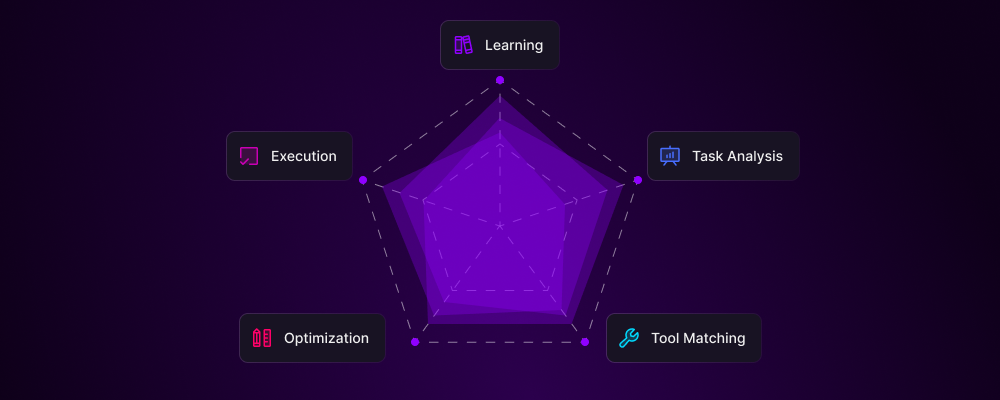
**Intelligent Tool Selection**: The LAM doesn't just have tools—it knows exactly when and how to use them, selecting the optimal tool combination for each task automatically.
Agent analyzes the workflow requirements and identifies needed capabilities
LAM matches task requirements with available tools in the library
Selects the most efficient tool combination for speed and accuracy
Implements tools in the optimal sequence with proper error handling
Records tool performance for future optimization
## Custom Tool Creation
### Build Your Own Tools
**JavaScript/Python Integration:**
```javascript theme={null}
// Custom validation tool
function validateInvoice(data) {
// Check required fields
if (!data.invoiceNumber || !data.amount) {
return { valid: false, error: "Missing required fields" };
}
// Validate amount format
if (isNaN(data.amount) || data.amount <= 0) {
return { valid: false, error: "Invalid amount" };
}
// Check date format
if (!isValidDate(data.date)) {
return { valid: false, error: "Invalid date format" };
}
return { valid: true };
}
```
**Features:**
* Write custom JavaScript or Python
* Access to all browser APIs
* Integration with npm/pip packages
* Reusable across workflows
* Version control support
**Custom API Integration:**
```yaml theme={null}
Tool Name: "Proprietary CRM API"
Type: "REST API"
Base URL: "https://api.yourcrm.com/v2"
Authentication:
Type: "Bearer Token"
Token: "${CRM_API_TOKEN}"
Endpoints:
- Get Customer:
Method: GET
Path: "/customers/{id}"
Response: JSON
- Create Lead:
Method: POST
Path: "/leads"
Body: JSON
Required: [name, email, source]
- Update Status:
Method: PATCH
Path: "/leads/{id}/status"
Body: JSON
```
**Capabilities:**
* Define custom endpoints
* Handle authentication
* Parse responses
* Error handling
* Rate limiting
**Combine Multiple Tools:**
```yaml theme={null}
Composite Tool: "Complete Order Processing"
Steps:
1. Extract Order:
Tool: "Web Scraping"
Target: "Order details from portal"
2. Validate Data:
Tool: "Custom Validation Script"
Input: "${step1.output}"
3. Check Inventory:
Tool: "Database Query"
Query: "SELECT stock FROM inventory WHERE sku = ${order.sku}"
4. Process Payment:
Tool: "Payment API"
Action: "Charge customer"
5. Update Systems:
Tools: ["CRM API", "Inventory DB", "Shipping API"]
Parallel: true
6. Send Confirmation:
Tool: "Email Tool"
Template: "order_confirmation"
```
**Benefits:**
* Reusable workflow components
* Standardized processes
* Easy maintenance
* Version control
* Team sharing
## Tool Performance Metrics
### Monitoring Tool Effectiveness
| Tool Category | Avg Execution Time | Success Rate | Usage Frequency |
| -------------------- | ------------------ | ------------ | --------------- |
| **Web Scraping** | 2.3s per page | 98.5% | 45,000/day |
| **File Operations** | 0.8s per file | 99.9% | 28,000/day |
| **API Calls** | 1.2s per request | 97.2% | 62,000/day |
| **AI Processing** | 3.5s per task | 96.8% | 15,000/day |
| **Email Operations** | 1.5s per email | 99.5% | 22,000/day |
| **Database Queries** | 0.5s per query | 99.8% | 38,000/day |
## Tool Security & Governance
### Enterprise-Grade Tool Management
**Permission Management:**
* Role-based tool access
* Tool usage limits
* Approval workflows for sensitive tools
* Audit logging of all tool usage
* Time-based restrictions
**Security Features:**
* Encrypted credential storage
* Sandboxed execution
* Input validation
* Output sanitization
**Governance Features:**
* GDPR-compliant data tools
* PII detection and masking
* Audit trail generation
* Compliance reporting
* Data retention policies
**Monitoring:**
* Tool usage analytics
* Anomaly detection
* Cost tracking
* Performance monitoring
## Advanced Tool Features
**Run Multiple Tools Simultaneously:**
Execute independent tools in parallel for maximum efficiency:
* Scrape multiple websites at once
* Process files while sending emails
* Query multiple APIs simultaneously
* Parallel data processing
**Benefits:**
* 5-10x faster execution
* Better resource utilization
* Reduced total workflow time
* Improved scalability
**Smart Tool Selection Based on Context:**
```yaml theme={null}
IF file_type == "PDF":
USE: PDF_Extraction_Tool
ELSE IF file_type == "Image":
USE: OCR_Tool
ELSE IF file_type == "Excel":
USE: Excel_Parser
ELSE:
USE: Generic_File_Reader
```
**Dynamic Adaptation:**
* Choose tools based on data
* Skip unnecessary tools
* Handle edge cases
* Optimize for each scenario
**Pass Data Between Tools Seamlessly:**
Output from one tool becomes input for the next:
1. Web Scraper → extracts data
2. Data Cleaner → processes extraction
3. Validator → checks quality
4. Transformer → formats for target
5. API Tool → sends to destination
**Features:**
* Automatic data transformation
* Error propagation handling
* Rollback capability
* State management
**Automatic Error Recovery:**
When tools fail, agents automatically:
* Retry with exponential backoff
* Try alternative tools
* Adjust parameters
* Request human help if needed
* Log issues for improvement
**Resilience Features:**
* Automatic retries
* Fallback strategies
* Error classification
* Recovery procedures
## Tool Marketplace
### Community-Powered Tool Ecosystem
**Coming Soon**: Share and monetize custom tools with the Action Model community. Earn \$LAM tokens when others use your tools.
Discover thousands of pre-built tools created by the community
Publish your custom tools and earn from every usage
Community-vetted quality with reviews and ratings
## ROI of Tool Usage
### The Economics of Automation Tools
**Manual vs Automated Tool Usage:**
| Task | Manual Time | With Tools | Savings |
| ----------------------------- | ----------- | ---------- | ------- |
| Data Entry (1000 records) | 8 hours | 10 minutes | 98% |
| Email Campaign (500 contacts) | 4 hours | 15 minutes | 94% |
| Report Generation | 2 hours | 5 minutes | 96% |
| Lead Research (100 leads) | 6 hours | 20 minutes | 94% |
| Invoice Processing (50) | 3 hours | 10 minutes | 94% |
**Monthly Cost Comparison:**
Traditional Approach:
* Manual labor: \$8,000 (2 FTEs)
* Software licenses: \$2,000
* **Total: \$10,000/month**
Action Model Tools:
* Agent subscription: \$500
* Tool usage: \$200
* **Total: \$700/month**
**Savings: \$9,300/month (93%)**
**Accuracy Improvements:**
| Metric | Human | With Tools | Improvement |
| --------------------- | ----- | ---------- | ----------- |
| Data Entry Accuracy | 96% | 99.9% | +3.9% |
| Email Personalization | 70% | 100% | +30% |
| Report Completeness | 85% | 100% | +15% |
| Lead Qualification | 75% | 95% | +20% |
| Process Compliance | 80% | 100% | +20% |
## Smart Tool Selection
### How Agents Choose the Right Tool
**Intelligent Tool Selection**: The LAM doesn't just have tools—it knows exactly when and how to use them, selecting the optimal tool combination for each task automatically.
Agent analyzes the workflow requirements and identifies needed capabilities
LAM matches task requirements with available tools in the library
Selects the most efficient tool combination for speed and accuracy
Implements tools in the optimal sequence with proper error handling
Records tool performance for future optimization
## Custom Tool Creation
### Build Your Own Tools
**JavaScript/Python Integration:**
```javascript theme={null}
// Custom validation tool
function validateInvoice(data) {
// Check required fields
if (!data.invoiceNumber || !data.amount) {
return { valid: false, error: "Missing required fields" };
}
// Validate amount format
if (isNaN(data.amount) || data.amount <= 0) {
return { valid: false, error: "Invalid amount" };
}
// Check date format
if (!isValidDate(data.date)) {
return { valid: false, error: "Invalid date format" };
}
return { valid: true };
}
```
**Features:**
* Write custom JavaScript or Python
* Access to all browser APIs
* Integration with npm/pip packages
* Reusable across workflows
* Version control support
**Custom API Integration:**
```yaml theme={null}
Tool Name: "Proprietary CRM API"
Type: "REST API"
Base URL: "https://api.yourcrm.com/v2"
Authentication:
Type: "Bearer Token"
Token: "${CRM_API_TOKEN}"
Endpoints:
- Get Customer:
Method: GET
Path: "/customers/{id}"
Response: JSON
- Create Lead:
Method: POST
Path: "/leads"
Body: JSON
Required: [name, email, source]
- Update Status:
Method: PATCH
Path: "/leads/{id}/status"
Body: JSON
```
**Capabilities:**
* Define custom endpoints
* Handle authentication
* Parse responses
* Error handling
* Rate limiting
**Combine Multiple Tools:**
```yaml theme={null}
Composite Tool: "Complete Order Processing"
Steps:
1. Extract Order:
Tool: "Web Scraping"
Target: "Order details from portal"
2. Validate Data:
Tool: "Custom Validation Script"
Input: "${step1.output}"
3. Check Inventory:
Tool: "Database Query"
Query: "SELECT stock FROM inventory WHERE sku = ${order.sku}"
4. Process Payment:
Tool: "Payment API"
Action: "Charge customer"
5. Update Systems:
Tools: ["CRM API", "Inventory DB", "Shipping API"]
Parallel: true
6. Send Confirmation:
Tool: "Email Tool"
Template: "order_confirmation"
```
**Benefits:**
* Reusable workflow components
* Standardized processes
* Easy maintenance
* Version control
* Team sharing
## Tool Performance Metrics
### Monitoring Tool Effectiveness
| Tool Category | Avg Execution Time | Success Rate | Usage Frequency |
| -------------------- | ------------------ | ------------ | --------------- |
| **Web Scraping** | 2.3s per page | 98.5% | 45,000/day |
| **File Operations** | 0.8s per file | 99.9% | 28,000/day |
| **API Calls** | 1.2s per request | 97.2% | 62,000/day |
| **AI Processing** | 3.5s per task | 96.8% | 15,000/day |
| **Email Operations** | 1.5s per email | 99.5% | 22,000/day |
| **Database Queries** | 0.5s per query | 99.8% | 38,000/day |
## Tool Security & Governance
### Enterprise-Grade Tool Management
**Permission Management:**
* Role-based tool access
* Tool usage limits
* Approval workflows for sensitive tools
* Audit logging of all tool usage
* Time-based restrictions
**Security Features:**
* Encrypted credential storage
* Sandboxed execution
* Input validation
* Output sanitization
**Governance Features:**
* GDPR-compliant data tools
* PII detection and masking
* Audit trail generation
* Compliance reporting
* Data retention policies
**Monitoring:**
* Tool usage analytics
* Anomaly detection
* Cost tracking
* Performance monitoring
## Advanced Tool Features
**Run Multiple Tools Simultaneously:**
Execute independent tools in parallel for maximum efficiency:
* Scrape multiple websites at once
* Process files while sending emails
* Query multiple APIs simultaneously
* Parallel data processing
**Benefits:**
* 5-10x faster execution
* Better resource utilization
* Reduced total workflow time
* Improved scalability
**Smart Tool Selection Based on Context:**
```yaml theme={null}
IF file_type == "PDF":
USE: PDF_Extraction_Tool
ELSE IF file_type == "Image":
USE: OCR_Tool
ELSE IF file_type == "Excel":
USE: Excel_Parser
ELSE:
USE: Generic_File_Reader
```
**Dynamic Adaptation:**
* Choose tools based on data
* Skip unnecessary tools
* Handle edge cases
* Optimize for each scenario
**Pass Data Between Tools Seamlessly:**
Output from one tool becomes input for the next:
1. Web Scraper → extracts data
2. Data Cleaner → processes extraction
3. Validator → checks quality
4. Transformer → formats for target
5. API Tool → sends to destination
**Features:**
* Automatic data transformation
* Error propagation handling
* Rollback capability
* State management
**Automatic Error Recovery:**
When tools fail, agents automatically:
* Retry with exponential backoff
* Try alternative tools
* Adjust parameters
* Request human help if needed
* Log issues for improvement
**Resilience Features:**
* Automatic retries
* Fallback strategies
* Error classification
* Recovery procedures
## Tool Marketplace
### Community-Powered Tool Ecosystem
**Coming Soon**: Share and monetize custom tools with the Action Model community. Earn \$LAM tokens when others use your tools.
Discover thousands of pre-built tools created by the community
Publish your custom tools and earn from every usage
Community-vetted quality with reviews and ratings
## ROI of Tool Usage
### The Economics of Automation Tools
**Manual vs Automated Tool Usage:**
| Task | Manual Time | With Tools | Savings |
| ----------------------------- | ----------- | ---------- | ------- |
| Data Entry (1000 records) | 8 hours | 10 minutes | 98% |
| Email Campaign (500 contacts) | 4 hours | 15 minutes | 94% |
| Report Generation | 2 hours | 5 minutes | 96% |
| Lead Research (100 leads) | 6 hours | 20 minutes | 94% |
| Invoice Processing (50) | 3 hours | 10 minutes | 94% |
**Monthly Cost Comparison:**
Traditional Approach:
* Manual labor: \$8,000 (2 FTEs)
* Software licenses: \$2,000
* **Total: \$10,000/month**
Action Model Tools:
* Agent subscription: \$500
* Tool usage: \$200
* **Total: \$700/month**
**Savings: \$9,300/month (93%)**
**Accuracy Improvements:**
| Metric | Human | With Tools | Improvement |
| --------------------- | ----- | ---------- | ----------- |
| Data Entry Accuracy | 96% | 99.9% | +3.9% |
| Email Personalization | 70% | 100% | +30% |
| Report Completeness | 85% | 100% | +15% |
| Lead Qualification | 75% | 95% | +20% |
| Process Compliance | 80% | 100% | +20% |
 ## Getting Started with Tools
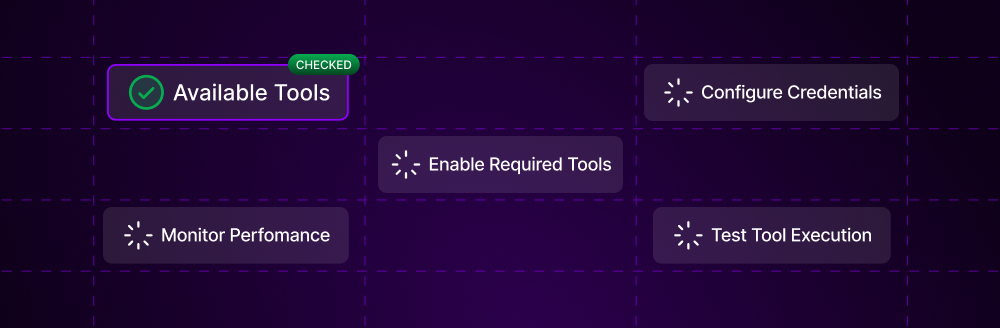
Browse the tool library in your Actionist dashboard
Activate tools needed for your workflows
Securely store API keys and passwords
Run tools in test mode to verify setup
Track tool usage and optimization opportunities
**Tool Power**: Every tool you add to your agent's arsenal multiplies its capabilities exponentially. Start with basic tools and gradually add advanced capabilities as your automation sophistication grows.
Browse all available tools
Learn to create your own
Tool usage optimization
***
**Agent Tool Usage: Infinite capabilities. Zero limitations. Complete automation.**
**Give your agents the tools. Watch them build your empire.**
## Getting Started with Tools
Browse the tool library in your Actionist dashboard
Activate tools needed for your workflows
Securely store API keys and passwords
Run tools in test mode to verify setup
Track tool usage and optimization opportunities
**Tool Power**: Every tool you add to your agent's arsenal multiplies its capabilities exponentially. Start with basic tools and gradually add advanced capabilities as your automation sophistication grows.
Browse all available tools
Learn to create your own
Tool usage optimization
***
**Agent Tool Usage: Infinite capabilities. Zero limitations. Complete automation.**
**Give your agents the tools. Watch them build your empire.**