

Coming Soon: The Actionist Browser Extension is currently in development and will be available in Q1 2025. This powerful tool will bring the full automation capabilities of Actionist directly into your browser.
The Future of Browser Automation
The Actionist Browser Extension transforms your browser into a command center for web automation. Unlike the Action Model training extension that collects data, this extension executes automations directly within your browser environment.
Core Capabilities
Instant Workflow Execution
Trigger any workflow directly from your browser toolbar without opening the desktop app
Context-Aware Actions
Extension understands the current page and suggests relevant automations
Live Agent Monitoring
See what your agents are doing in real-time through a browser sidebar
Quick Recording
Record new workflows directly from your browser without switching apps
Key Features
1. Smart Toolbar Integration
One-Click Automation
One-Click Automation
Execute workflows instantly from any webpage:
- Click the Actionist icon in your toolbar
- See workflows relevant to the current site
- Launch with pre-filled context from the page
- No need to open desktop app
- “Extract profile information”
- “Send connection request”
- “Download all posts”
Contextual Suggestions
Contextual Suggestions
AI-powered workflow recommendations:
- Analyzes current page content
- Suggests relevant automations
- Learns from your usage patterns
- Adapts to your workflow preferences
- On Gmail → Suggests email automation
- On e-commerce → Offers price tracking
- On social media → Recommends engagement workflows
2. Browser-Native Recording
1
Start Recording
Click the record button in the extension toolbar
2
Perform Your Task
Navigate and interact with websites normally while the extension captures your actions
3
Add Intelligence
Mark variables, rules, and confirmation points using the floating control panel
4
Save and Deploy
Workflow automatically syncs to your Actionist desktop app and cloud
3. Live Monitoring Sidebar
- Agent Status
- Execution Viewer
- Notifications
Real-time agent dashboard in your browser:
- See all active agents
- Current workflow execution
- Progress indicators
- Error alerts
- Quick pause/resume controls
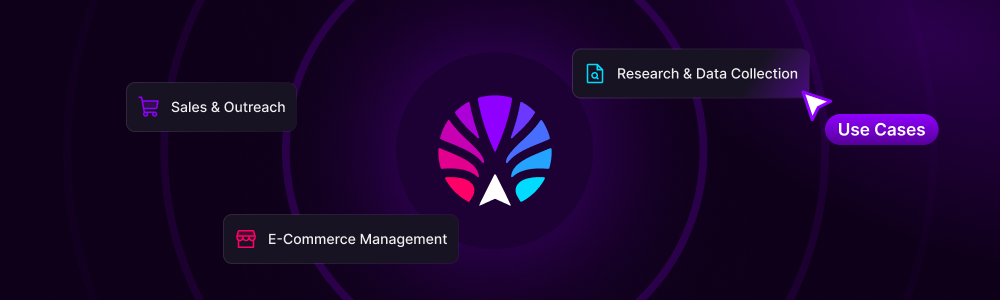
Use Case Scenarios
Research & Data Collection
Competitive Intelligence Gathering
Scenario: Monitoring competitor websitesHow it works:
- Navigate to competitor site
- Click Actionist extension
- Select “Extract pricing data” workflow
- Extension automatically captures all relevant data
- Exports to your preferred format
Sales & Outreach
LinkedIn Lead Generation
Scenario: Building targeted prospect listsHow it works:
- Search for prospects on LinkedIn
- Extension suggests “Extract and enrich profiles”
- One click extracts all visible profiles
- Automatically finds email addresses
- Adds to CRM with enriched data
E-commerce Management
Multi-Platform Product Listing
Scenario: Listing products across marketplacesHow it works:
- Open your product in one marketplace
- Extension detects product details
- Select “Cross-list product” workflow
- Automatically lists on Amazon, eBay, Etsy
- Maintains inventory sync
Technical Architecture
How It Works with Actionist Ecosystem
Seamless Integration: The browser extension is not standalone—it’s a lightweight controller that communicates with your Actionist desktop app or Cloud VPC agents to execute workflows.
1
Extension as Controller
Browser extension acts as a remote control for your agents
2
Secure Communication
Encrypted WebSocket connection to desktop app or cloud
3
Context Passing
Current page data automatically passed to workflows
4
Execution Delegation
Heavy lifting done by desktop/cloud agents, not browser

Browser Compatibility
- Chrome
- Edge
- Firefox
- Safari
Full Support
- Chrome 90+
- Chromium-based browsers
- Chrome Web Store distribution
- Enterprise policy support
Interface Design
Extension Popup
Design Principles:- Minimal, non-intrusive interface
- Dark/light mode matching browser
- Keyboard-first navigation
- Accessibility compliant
- Responsive to browser size
Control Elements
Toolbar Icon
- Status indicator (active/idle)
- Badge for notifications
- Single click access
Popup Window
- 400x600px default
- Resizable interface
- Tabbed navigation
Sidebar Panel
- Optional sidebar mode
- Full monitoring interface
- Dockable/floating
Security & Permissions
Required Permissions
Active Tab
Active Tab
Purpose: Read current page context Usage: Extract data for workflows Privacy: Only accesses tab you’re actively using
Storage
Storage
Purpose: Save preferences and shortcuts Usage: Workflow favorites, settings Privacy: All data stored locally
Notifications
Notifications
Purpose: Alert on completions/errors Usage: Optional status updates Privacy: Can be disabled anytime
Security Features
- End-to-end encryption for all communications
- No data collection beyond workflow execution
- Local processing where possible
- Open source (coming Q2 2025)
- Regular security audits
Performance Impact
Resource Usage

Development Roadmap
1
Q1 2025: Beta Launch
- Chrome/Edge release
- Core workflow execution
- Basic monitoring features
2
Q2 2025: Full Release
- Firefox support
- Advanced recording features
- Open source release
3
Q3 2025: Enhanced Features
- Safari support
- Team collaboration
- Advanced AI suggestions
4
Q4 2025: Enterprise
- Enterprise deployment tools
- Advanced security features
- Custom workflow libraries
Early Access Program
Join the Beta: Be among the first to experience browser-native automation. Beta testers receive lifetime premium features and exclusive $LAM token rewards.
Beta Benefits
- Early access to all features
- Direct feedback channel to dev team
- 2x $LAM rewards for bug reports
- Lifetime premium subscription
- Exclusive beta tester badge
Requirements
- Active Actionist desktop user
- Chrome or Edge browser
- Willingness to provide feedback
- Basic technical knowledge
- 5+ hours weekly usage commitment
❓ Frequently Asked Questions
How is this different from the Action Model training extension?
How is this different from the Action Model training extension?
The Action Model extension collects data to train the LAM. The Actionist extension executes automations. Think of it as training vs. doing.
Do I need the desktop app to use this?
Do I need the desktop app to use this?
Yes, initially. The browser extension acts as a controller for your desktop app or Cloud VPC agents. Standalone browser automation is planned for 2026.
Will it slow down my browser?
Will it slow down my browser?
No. The extension is lightweight and only active when you engage with it. All heavy processing happens in your desktop app or cloud.
Can it work with password-protected sites?
Can it work with password-protected sites?
Yes. Your credentials are securely stored in the Actionist app’s encrypted memory and never exposed to the extension.
Will it work with my company's internal tools?
Will it work with my company's internal tools?
Yes, as long as the desktop app can access them. The extension simply provides browser-based control.
Get Ready for Browser Automation
The Future is Browser-Native: As web applications become more sophisticated, browser-based automation becomes essential. The Actionist Browser Extension ensures you’re never more than one click away from automation power.
Join Waitlist
Be notified when beta launches
Learn More
Explore Actionist ecosystem
Earn Access
Train the LAM for early access
Actionist Browser Extension: Automation at the speed of thought. Coming Q1 2025. The revolution fits in your toolbar.